
Publish docs in multiple languages
Enable locales, choose a default language and URL structure, and author localized pages for your Doxbrix reader site.
Serve your documentation in more than one language. In this guide, you enable locales, choose the default language and URL structure, and then write each locale's pages in the editor so readers can switch languages on the published site.
A locale is one language version of your site, identified by a short code such as fr for French. The default locale is your source language. It is served at your normal URLs; other locales get their own URLs.
Before you begin
- You need the Owner or Admin role in the project. Other roles cannot change locales. See Roles and permissions.
- Decide which languages you will support. Doxbrix supports 27 locales, listed in Supported languages.
- Plan how you will translate. Doxbrix does not translate content automatically: each locale has its own pages, which you or your translators write.
Steps
On the dashboard, select the gear icon on your project card, for example PocketBase documentation. In the project settings sidebar, select Localization.
The section shows the Default language, the URL structure, and the Enabled locales list. A new project starts with one locale, marked Default and Source locale.
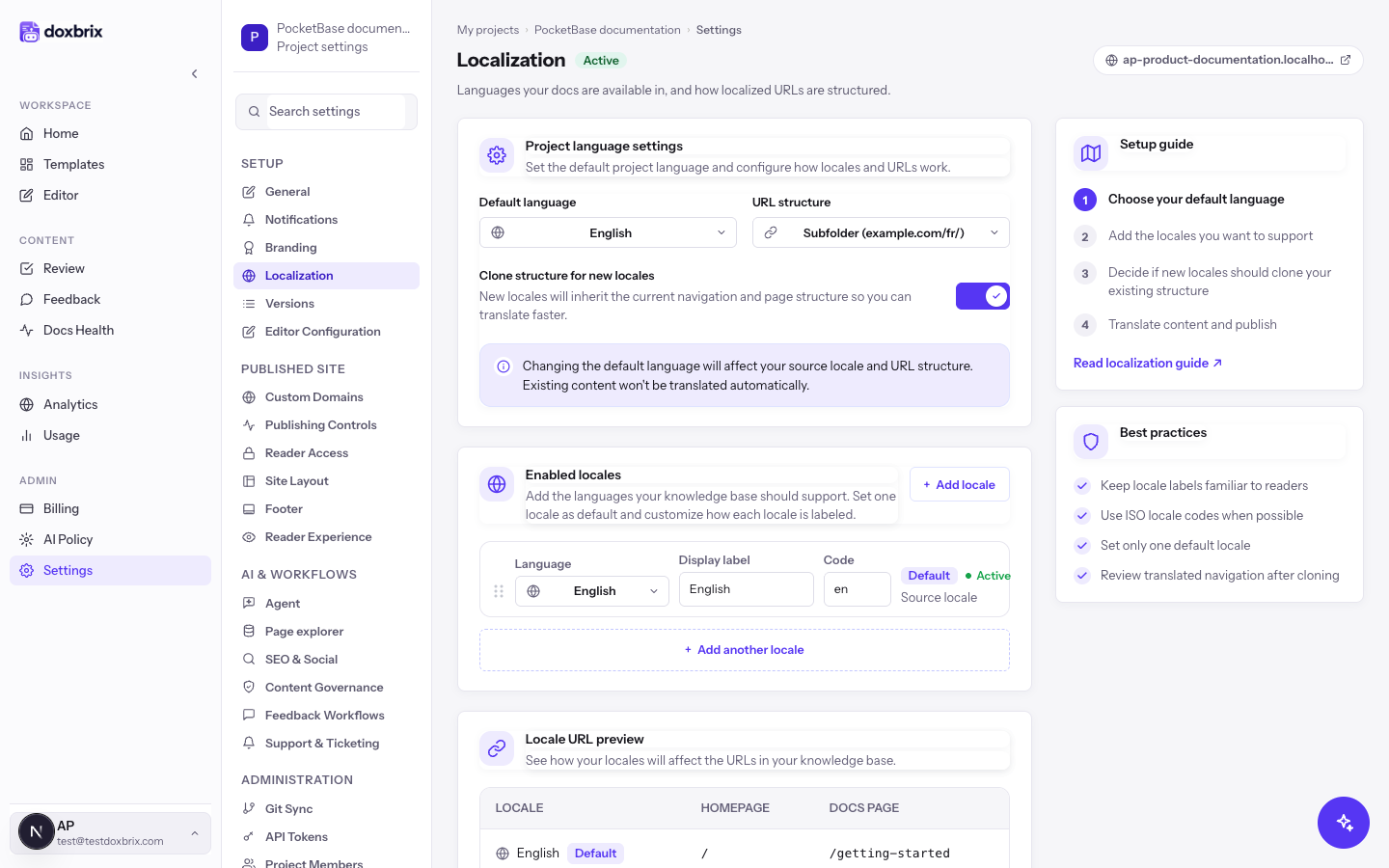
Check the Clone structure for new locales toggle. When it is on, new locales inherit the current navigation and page structure, so translators start from the same outline instead of an empty site.
Leave it on unless the new locale needs a different structure.
Under Enabled locales, select Add locale. A new row appears with the next available language. Open the row's Language menu, type in Search languages, and select the language you want, for example French.
The menu only offers languages that are not already enabled.
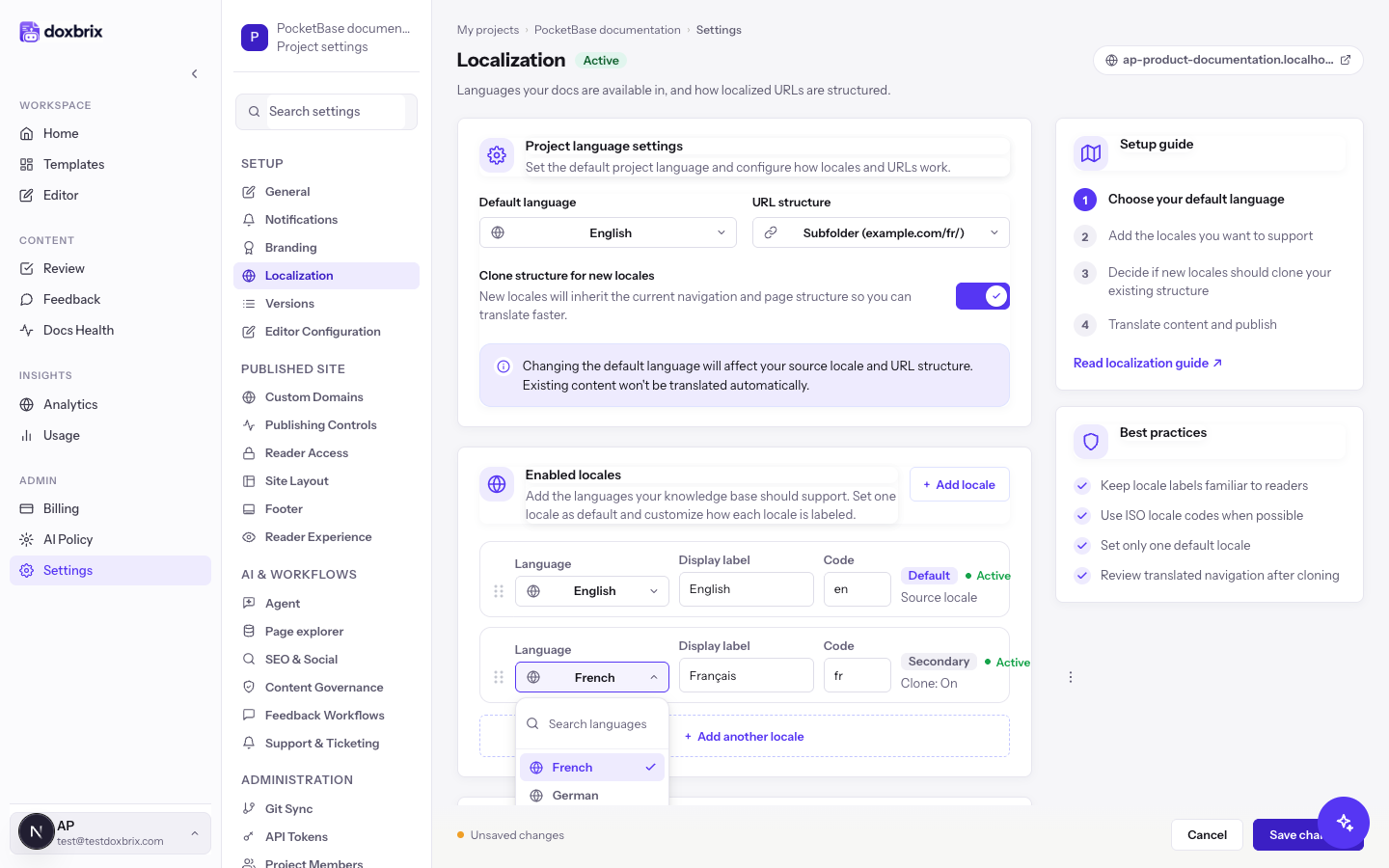
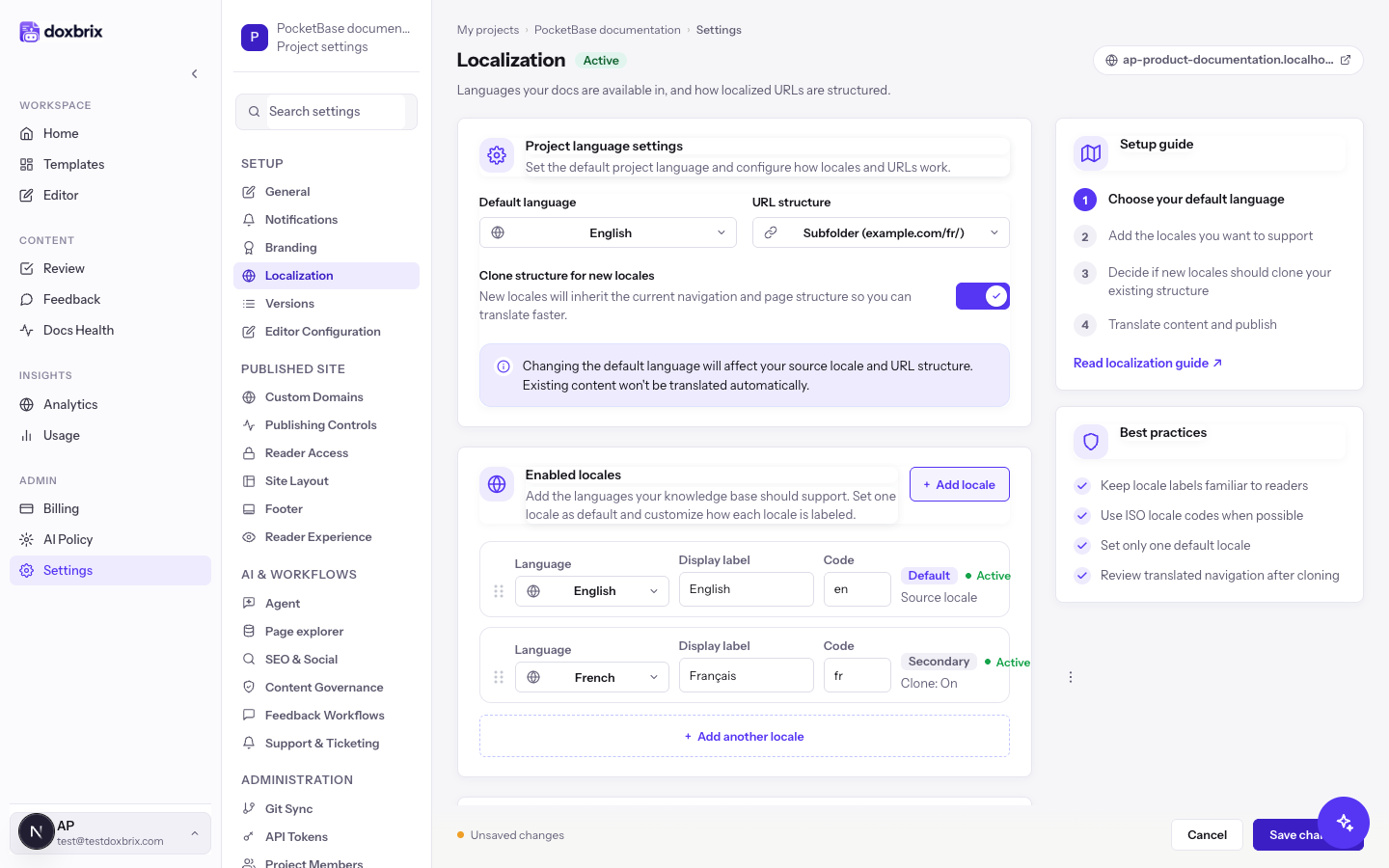
Check the new row:
- Display label is the name readers see in the language switcher. It defaults to the native name, for example
Français. Edit it if your readers expect a different label. - Code is the read-only locale code, for example
fr. - The badge shows Secondary, and Clone: On or Clone: Off reflects the clone toggle.
To add more languages, select Add another locale. Then select Save changes in the Unsaved changes bar.
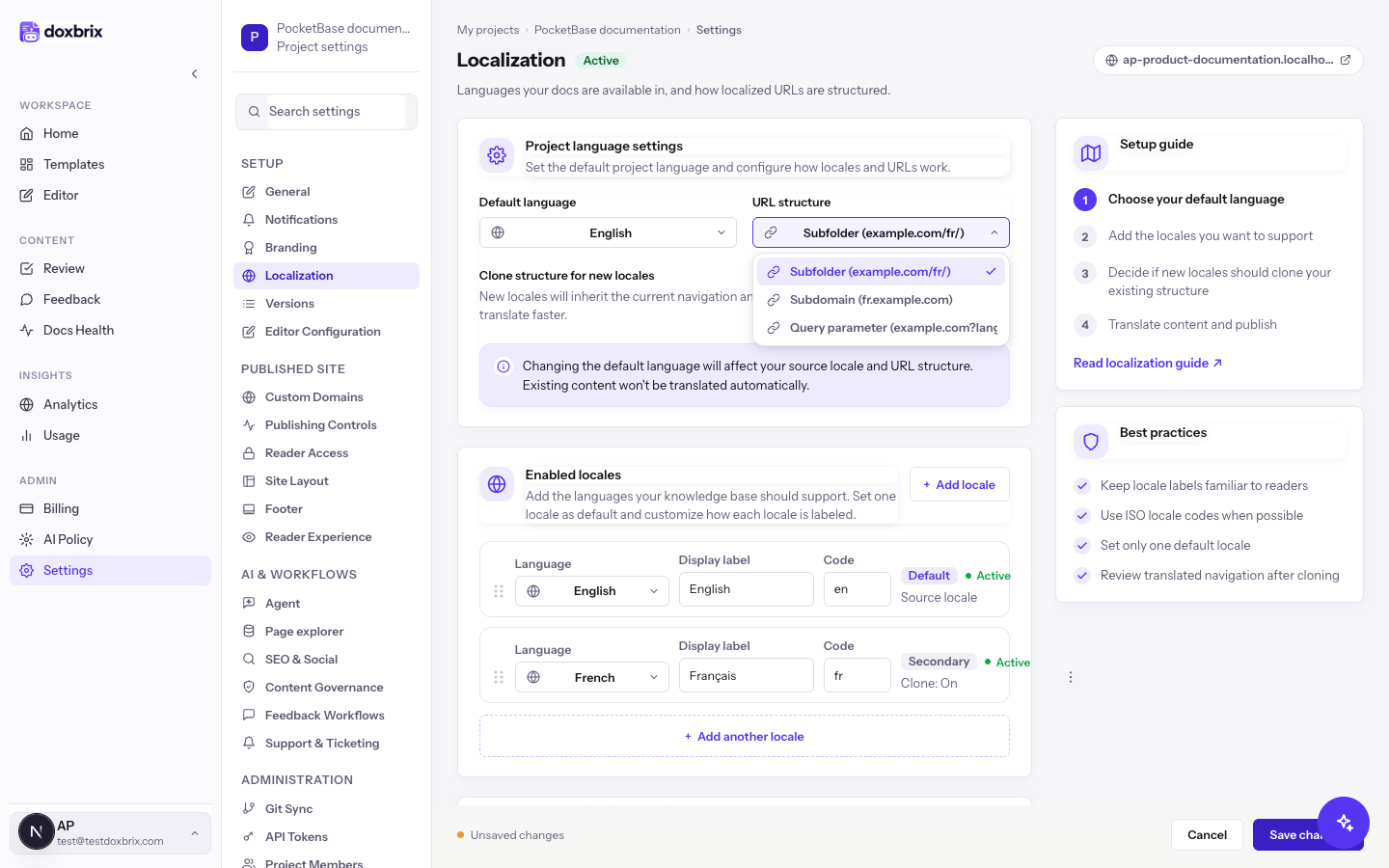
Open URL structure and choose how localized URLs look:
| Option | Pattern for French |
|---|---|
| Subfolder (example.com/fr/) | The locale code is the first path segment: example.com/fr/ |
| Subdomain (fr.example.com) | The locale code is a subdomain: fr.example.com |
| Query parameter (example.com?lang=fr) | The locale code is a lang parameter: example.com?lang=fr |
The Locale URL preview table shows each locale's homepage and docs page URLs for your choice. The default locale has no language prefix. Select Save changes.
To make another locale the source language, open the row's actions menu (⋮) and select Set as default, or choose it in Default language. Only one locale can be the default.
Open a page in the editor. When the project has more than one locale, the editor top bar shows a locale selector. Select a locale, such as Français, and write or paste the translated content for that locale.
Review and publish localized pages the same way as source pages. See Submit, review and approve pages.
In the settings sidebar, select Reader Experience. Set Language switch placement to Header, Footer, or Both, and then select Save changes.
Readers see the language switcher when the site has more than one locale. Switching languages opens the same page in the selected locale.
Verify
- Open the published site from the project card's Docs site button.
- Find the language switcher in the header or footer, depending on your placement setting.
- Select the new language and confirm that the URL follows your URL structure, for example
/fr/with Subfolder, and that the page shows the localized content.
Supported languages
| Code | Language | Code | Language | Code | Language |
|---|---|---|---|---|---|
en | English | ja | Japanese | fi | Finnish |
fr | French | zh | Chinese (Simplified) | nb | Norwegian |
de | German | ko | Korean | cs | Czech |
es | Spanish | ar | Arabic (right-to-left) | hu | Hungarian |
pt | Portuguese | he | Hebrew (right-to-left) | ro | Romanian |
it | Italian | hi | Hindi | uk | Ukrainian |
nl | Dutch | sv | Swedish | id | Indonesian |
pl | Polish | da | Danish | th | Thai |
ru | Russian | tr | Turkish | vi | Vietnamese |