
Manage billing and change plans
Review your plan and usage, upgrade or downgrade, buy add-ons and AI packs, and cancel or resume a Doxbrix subscription from the Billing page.
The Billing page is where a workspace Owner reviews the current plan and usage, changes plans, buys extra seats and AI capacity, and cancels or resumes the subscription. Use this guide when you reach a plan limit, need more AI answers or credits, or want to move to a smaller plan.
Before you begin
- You need the Owner role. Billing changes are owner actions; Admins do not have billing access. See Roles and permissions.
- Have a payment card ready if you are moving from Free to a paid plan or buying an AI pack. Those purchases open a hosted checkout page to review tax and the total.
- To compare every limit before you choose, see Plans and limits reference.
Compare plans
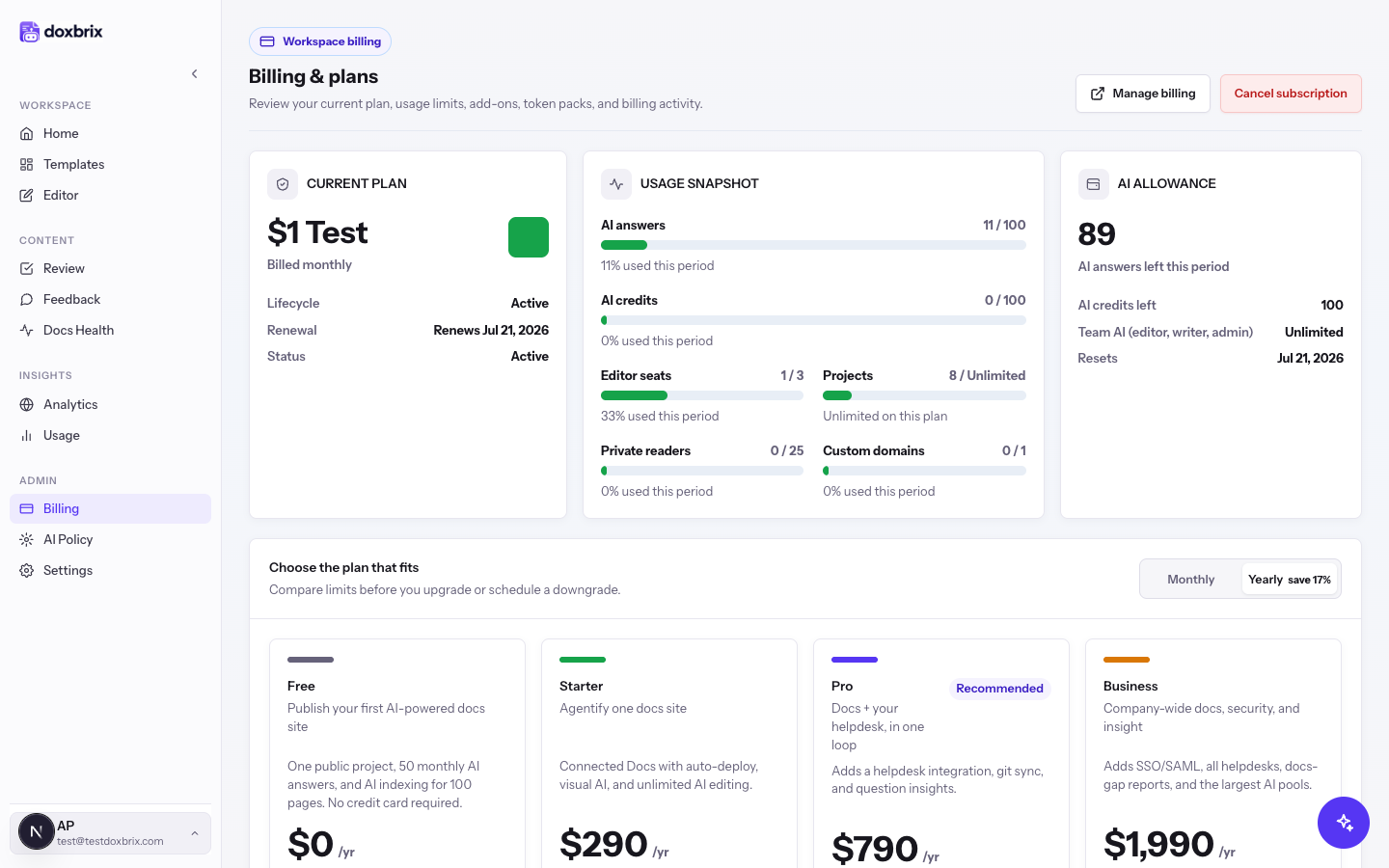
Prices are per workspace. Yearly billing costs the same as ten months.
| Plan | Monthly | Yearly | Editor seats | AI answers per month | AI credits per month | Highlights |
|---|---|---|---|---|---|---|
| Free | $0 | $0 | 1 | 50 | 25 | One public project; AI indexing for 100 pages |
| Starter | $29 | $290 | 3 | 500 | 500 | Custom domain, remove branding, add-ons |
| Pro | $79 | $790 | 8 | 3,000 | 2,500 | Git sync, one helpdesk integration, advanced analytics |
| Business | $199 | $1,990 | 20 | 15,000 | 10,000 | Single sign-on, docs gaps, all helpdesk integrations |
Review your plan and usage
In the left sidebar, select Billing. The Billing & plans page shows CURRENT PLAN with the billing interval, USAGE SNAPSHOT with AI answers, AI credits, editor seats, projects, private readers, and custom domains against your limits, and AI ALLOWANCE.
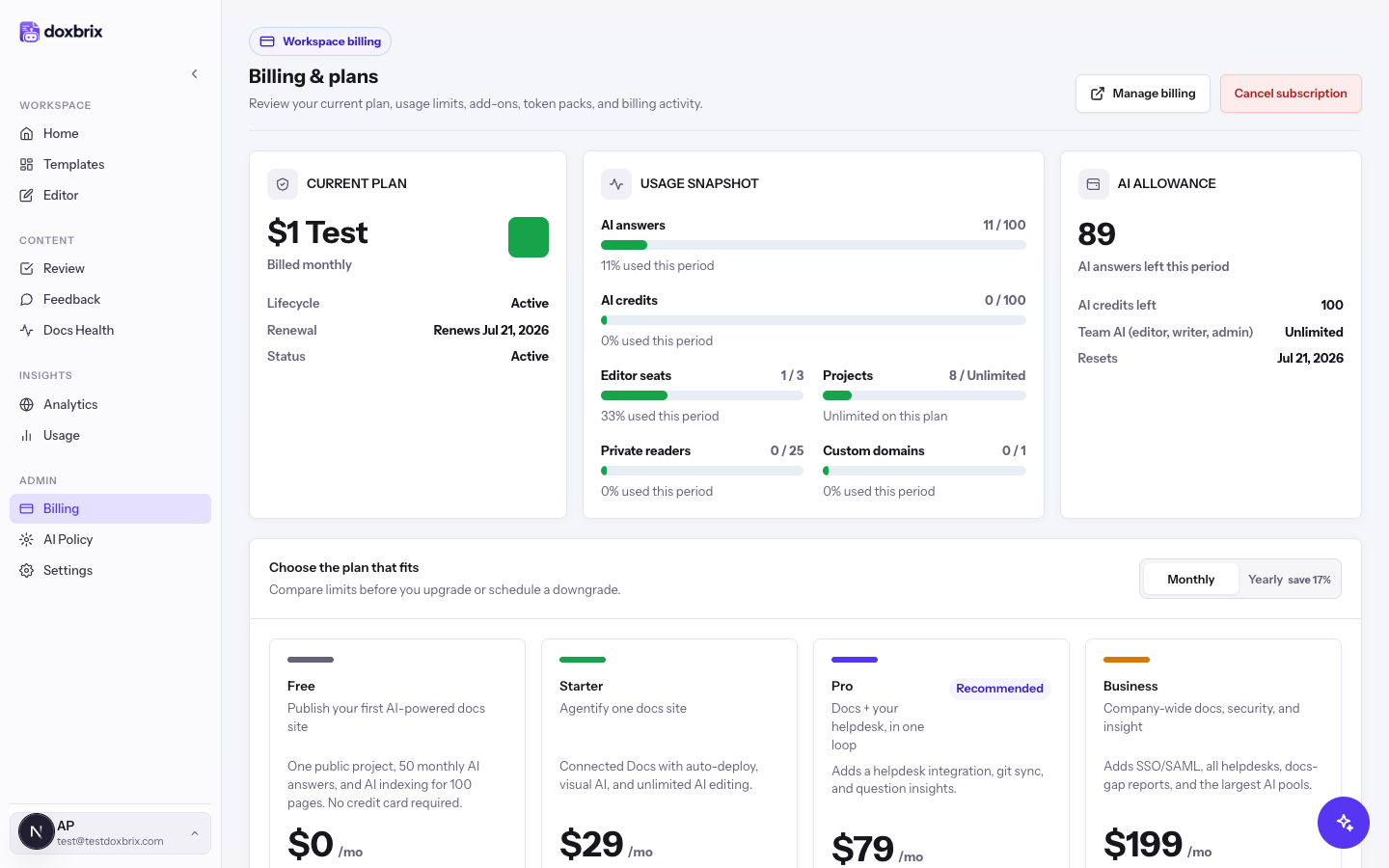
In the current plan summary, read Lifecycle, Renewal, and Status. During a trial, a Trial row shows when it ends. For a detailed breakdown of consumption, open Usage.
Under Choose the plan that fits, select Monthly or Yearly save 17%. The plan cards update to the prices for that interval.
Change your plan
Each plan card's button tells you what selecting it will do: Current plan (disabled), Upgrade plan, Downgrade plan, Switch to yearly or Switch to monthly for your current plan, or Cancel subscription on the Free card.
On the plan card you want, select Upgrade plan.
- From Free, Doxbrix opens the hosted checkout page. Review the tax and total, and confirm payment there; you return to Billing afterwards.
- From a paid plan, the upgrade applies immediately and replaces any downgrade you had scheduled. The notice reads, for example, Upgraded to Pro.
On the smaller plan's card, select Downgrade plan. Doxbrix first checks your current usage against the target plan's limits. If everything fits, the downgrade is scheduled for the end of the current billing period, and the notice reads Downgrade to Plan scheduled for date. You keep your current plan until then.
If usage exceeds the target plan, the change is refused with "Cannot downgrade to plan: current usage exceeds the target plan. Reduce usage first." The message lists what to reduce, such as editor seats to remove. Reduce that usage, then try again.
While a downgrade is scheduled, a banner reads Scheduled change to Plan on date. To stay on your current plan, select Keep current plan in that banner. The notice reads Scheduled change cancelled.
Buy add-ons
Add-ons extend a paid plan with recurring capacity. They are not available on Free; there, the controls show Choose paid plan.
In the Add-ons panel, use the controls beside Extra editor seats ($10 per month each) and Private reader blocks (100 private readers for $5 per month) to set the quantities you need. Recurring add-on total updates as you change them.
Select Save add-ons. The notice reads Add-ons updated. and the new seats and readers count toward your limits at once. They appear under Active recurring add-ons.
Buy an AI pack
AI packs are one-time purchases for when the monthly AI grant runs out. A pack adds 1,000 AI answers for $20, or 1,000 AI credits for $10, and stays valid for 12 months. Credits pay for AI work such as Docs Health scans and screenshot guides; answers pay for Ask AI replies to readers.
In the AI packs panel, find the pack you need and select Buy AI pack.
Doxbrix opens the hosted checkout page. Review the tax and total, and confirm payment. After payment, you return to Billing, and the pack appears in the AI packs panel.
Manage payment details and invoices
Select Manage billing at the top of the page to open the billing portal, where you update the payment method and download invoices. Recent invoices are also listed under Invoices, and Plan activity records upgrades, downgrades, and interval changes.
Cancel or resume a subscription
Select Cancel subscription at the top of the page. A browser confirmation reads: "Cancel your subscription? You keep full access until the end of the current billing period, then the workspace becomes read-only. You can resume any time before then."
Select OK. The notice reads Your subscription is set to cancel at the end of the current billing period. A banner shows the date your plan ends and moves to Free.
To keep the subscription, select Keep my plan in the cancellation banner. The notice reads Cancellation removed. Your subscription will continue.
Verify
- CURRENT PLAN shows the new plan and interval after an upgrade or interval switch.
- A scheduled downgrade or cancellation appears as a banner with its effective date.
- New add-ons appear under Active recurring add-ons, and the matching limits in USAGE SNAPSHOT increase.
Understand billing states
| State | What it means | What you can do |
|---|---|---|
| Trial | A 14-day trial with full plan features and a countdown banner | Choose a plan before the trial ends |
| Active | Everything is allowed | Change plans or add capacity |
| Ending | The subscription is cancelled at period end | Select Keep my plan to resume |
| Past due, in grace | A payment failed. For 7 days you keep read access, but AI use and new seats, projects, or domains are blocked | Update the card in Manage billing |
| Suspended | The grace period ended unpaid, or the subscription is paused; billable actions are read-only | Update payment in Manage billing |
| Cancelled | The workspace reverted to Free; data is preserved | Subscribe again from a plan card |